 Cardivio
Live monitoring
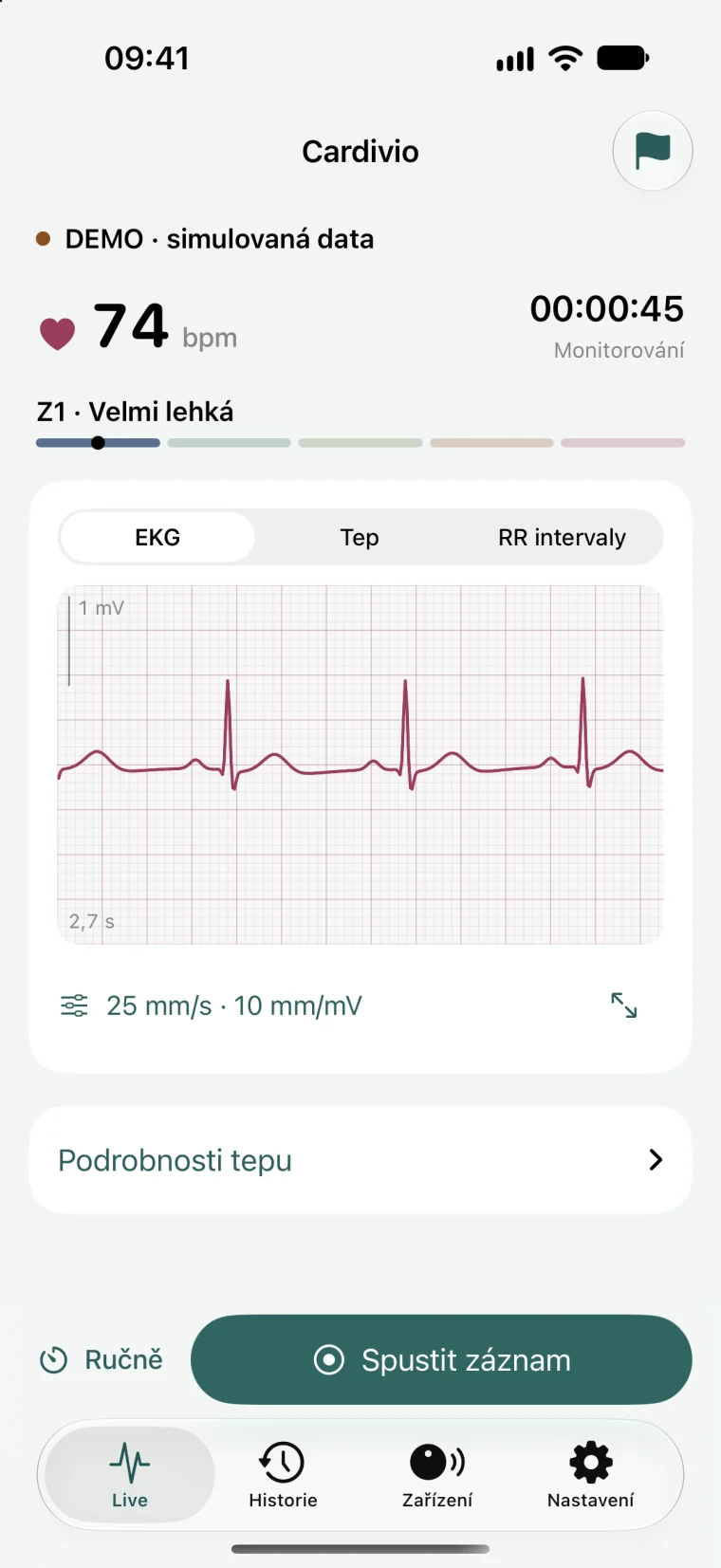
See the ECG trace, heart rate and intervals between beats. Once set up, automatic recording starts when the app receives a stable signal from your strap.
Cardivio for Polar H10
See your ECG and heart rate in real time. Save recordings, mark important moments and share the part you choose.
For iPhone · Public release in preparation
App features
See the ECG trace, heart rate and intervals between beats. Once set up, automatic recording starts when the app receives a stable signal from your strap.
Zoom in on any part of a recording. Mark an event during a session and find it later in History.
Save a full recording or a selected segment as PDF, CSV, JSON or ZIP. Recordings stay on your device until you choose to share them.
From strap to recording
Put on the strap, allow Bluetooth access and select the sensor in Devices.
Optionally show the recording status on the Lock Screen and Dynamic Island on supported iPhones.
Review saved sessions, marked events and analysed segments, then export what you need.
An iPhone with iOS 18 or later and a compatible Polar H10 chest strap. You can explore demo mode without a strap.
On your device. You can export or share them from the app whenever you choose.
Yes. For example, you can export a PDF with the trace and timestamps. Cardivio provides single-lead recordings for information. A health professional can interpret what they mean for you.